
FluentAnyLang
Bring your own audio or video — any language, any material — and practice listening and speaking sentence by sentence. Everything stays on your device by default: no account, no cloud upload (unless you opt into experimental pronunciation scoring).
Why FluentAnyLang?
Most language apps lock you into their curriculum. FluentAnyLang is built for learners who already have the content they care about — podcasts, dramas, lectures, songs — and want a focused loop of replay, shadowing, and self-review.
- Your materials, any language — Import audio/video with
.srt/.lrcsubtitles (add later if needed). Bilingual lines are supported. - Sentence-driven practice — Jump, loop, or pause by subtitle line; speaking modes tie every take to the exact sentence.
- Local-first & private — Media, recordings, and stats live in IndexedDB. Export a ZIP backup to migrate devices; nothing is uploaded unless you opt into experimental pronunciation scoring.
- Installable PWA — Add to home screen or desktop; app shell works offline after the first visit. Updates are prompted so practice is not interrupted mid-session.
Features
Listening
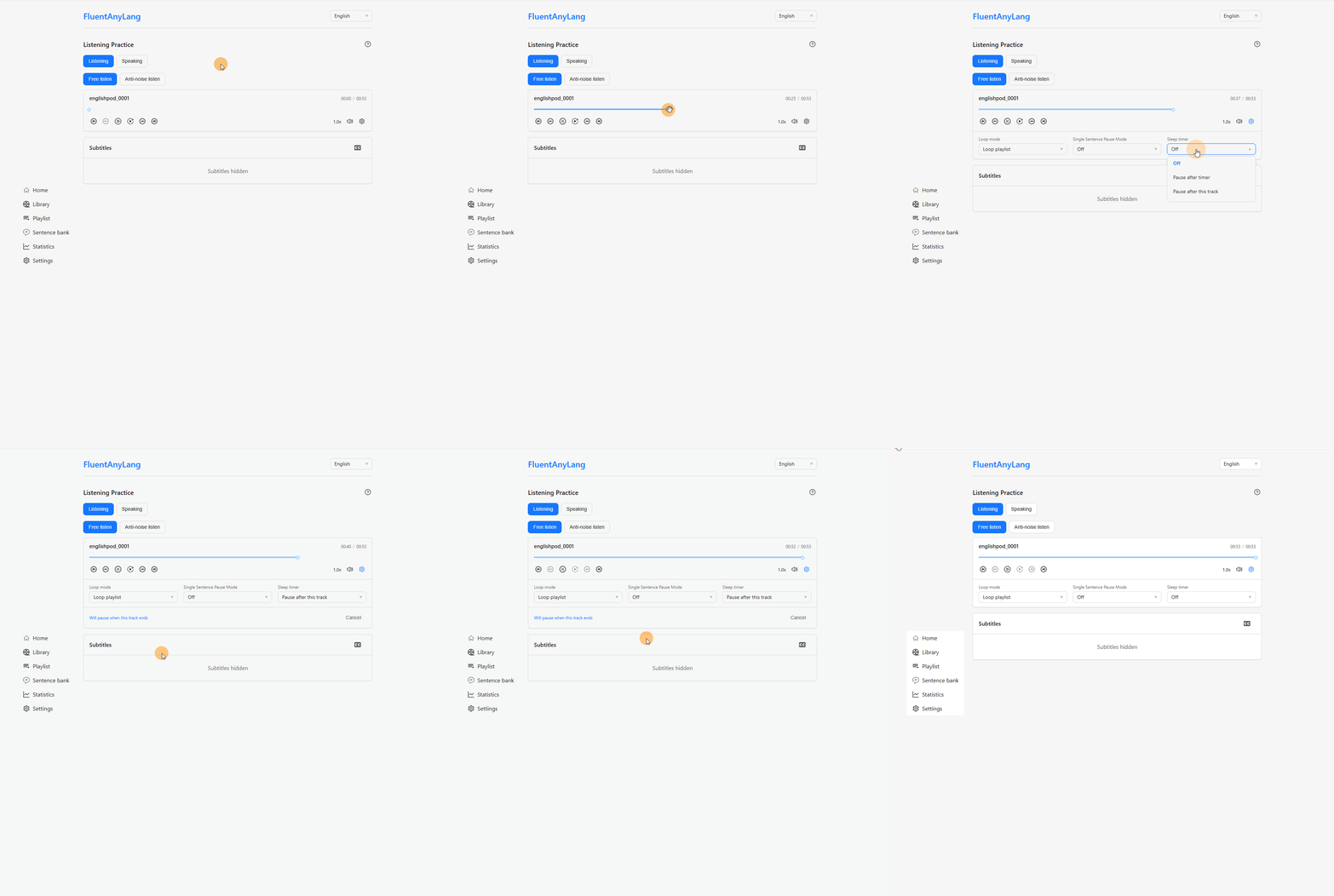
- Free listen — Playback speed, volume (optional boost above 100%), prev/next sentence, and practice hotkeys (replay segment, toggle subtitles, and more).
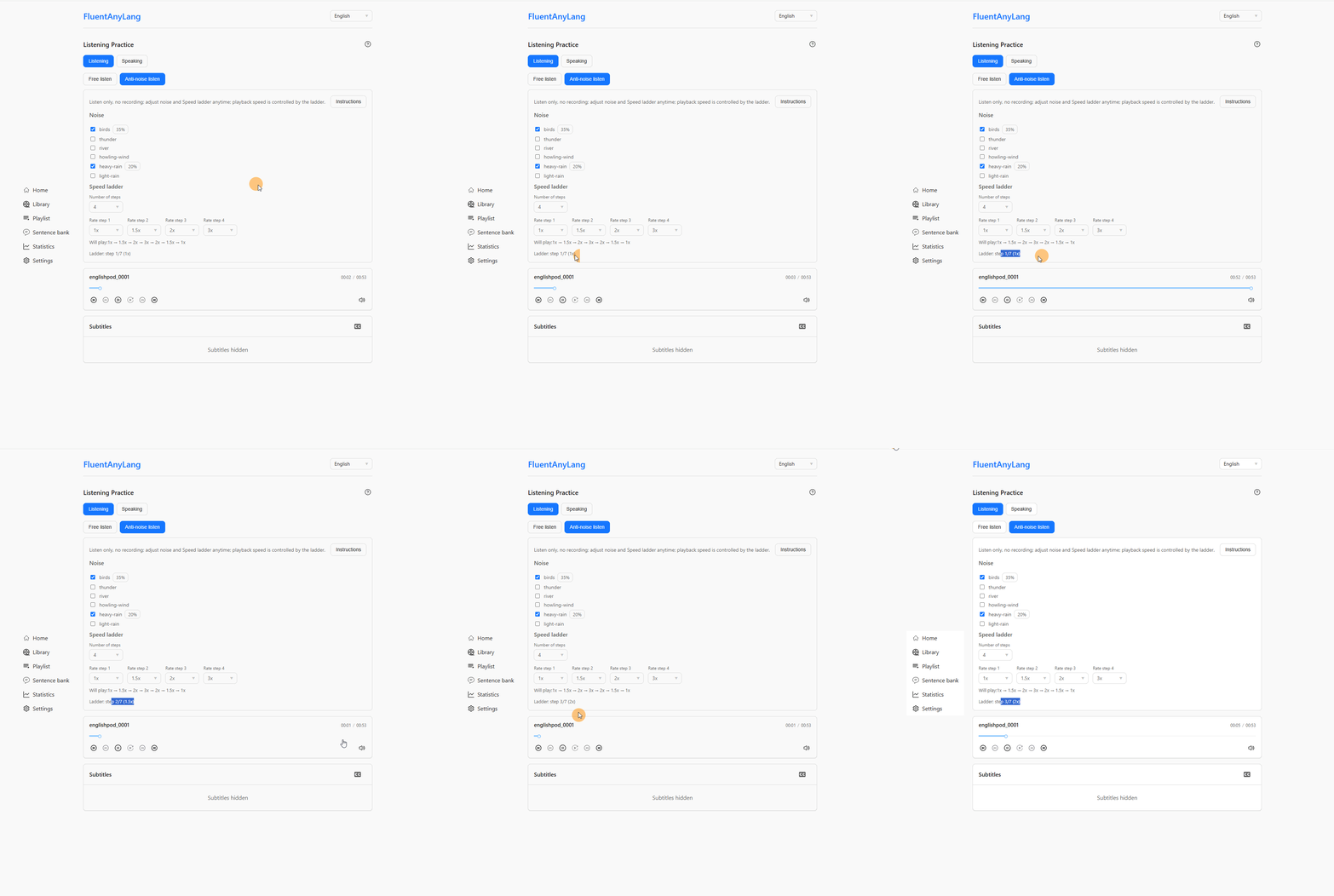
- Anti-noise listen — Mix up to 3 ambient noise tracks while listening; optional speed ladder advances after each play-through.
- Loop & pause — Loop track or sentence; pause between sentences by fixed seconds or a percentage of line length.
- Sleep timer — Stop after N minutes or when the current track ends.
- Flexible player — Normal, fixed (floating bar), or mini layout; set player defaults (rate/volume ceilings, sleep, volumes) in Settings.
Speaking
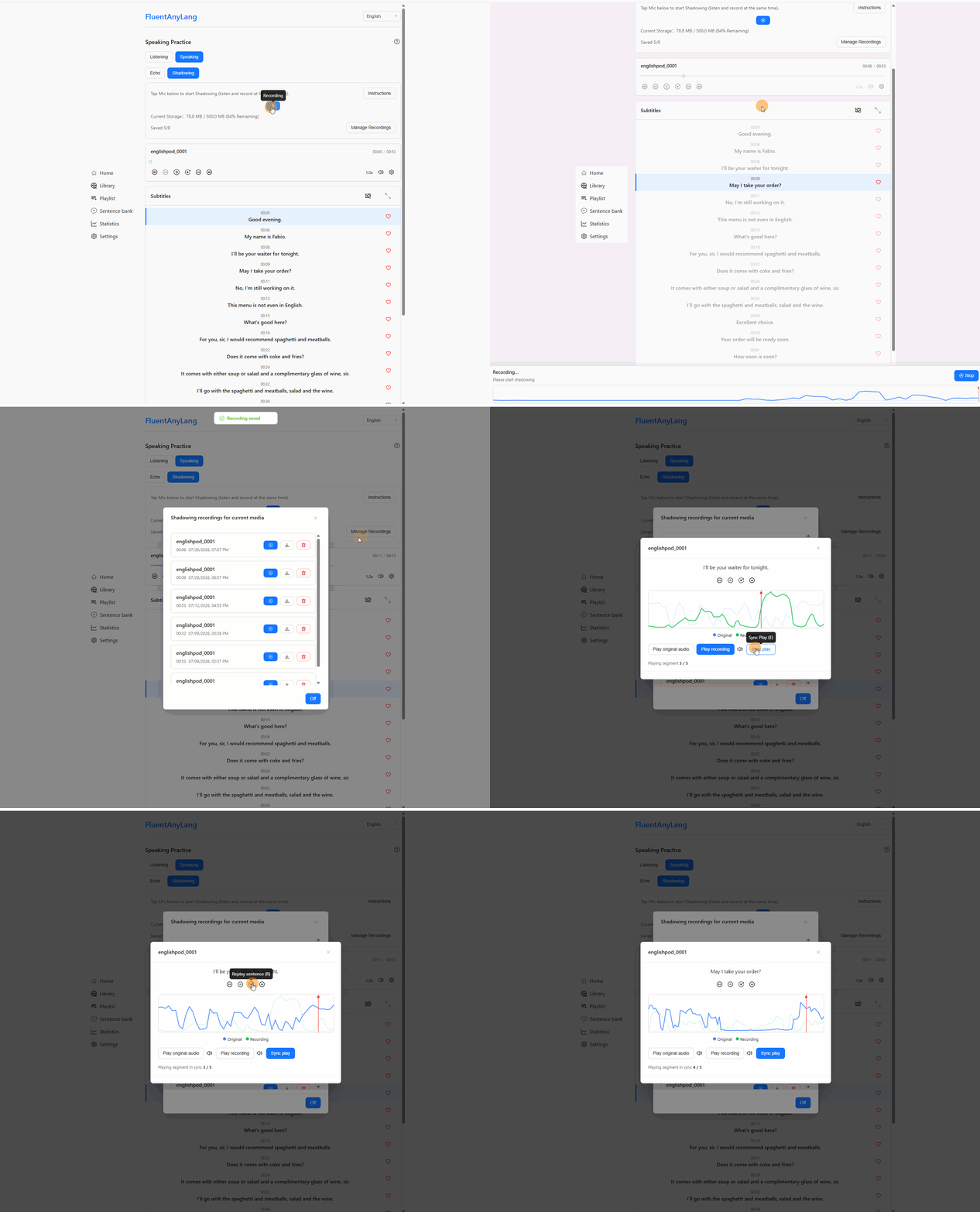
- Shadowing — Record in sync with the original, with countdown cues and a live waveform; choose inter-sentence gaps as “compress to ~1s” or “preserve full gaps” in Settings.
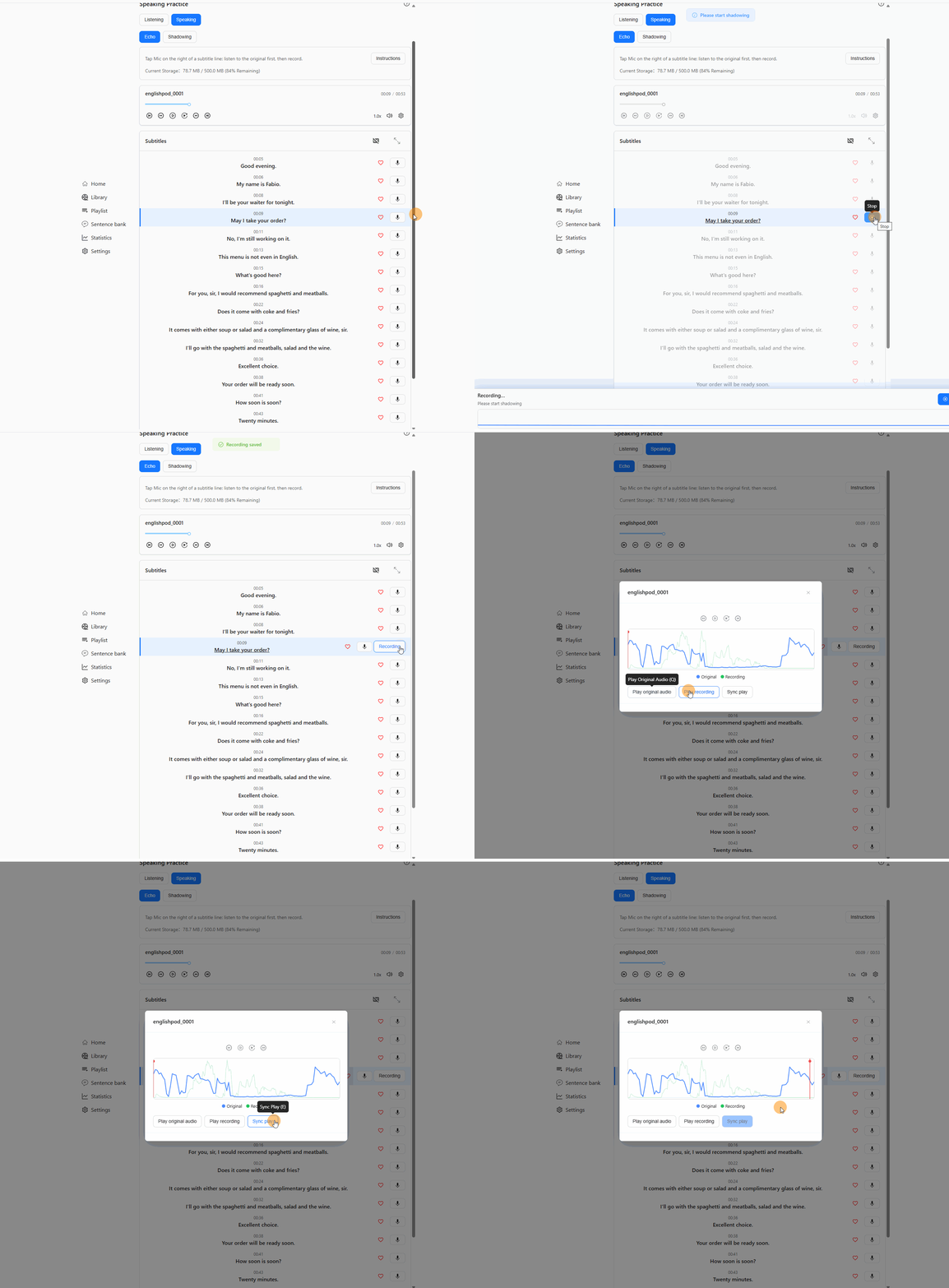
- Echo — Hear the line first, then record; keep multiple takes per sentence and pick the best.
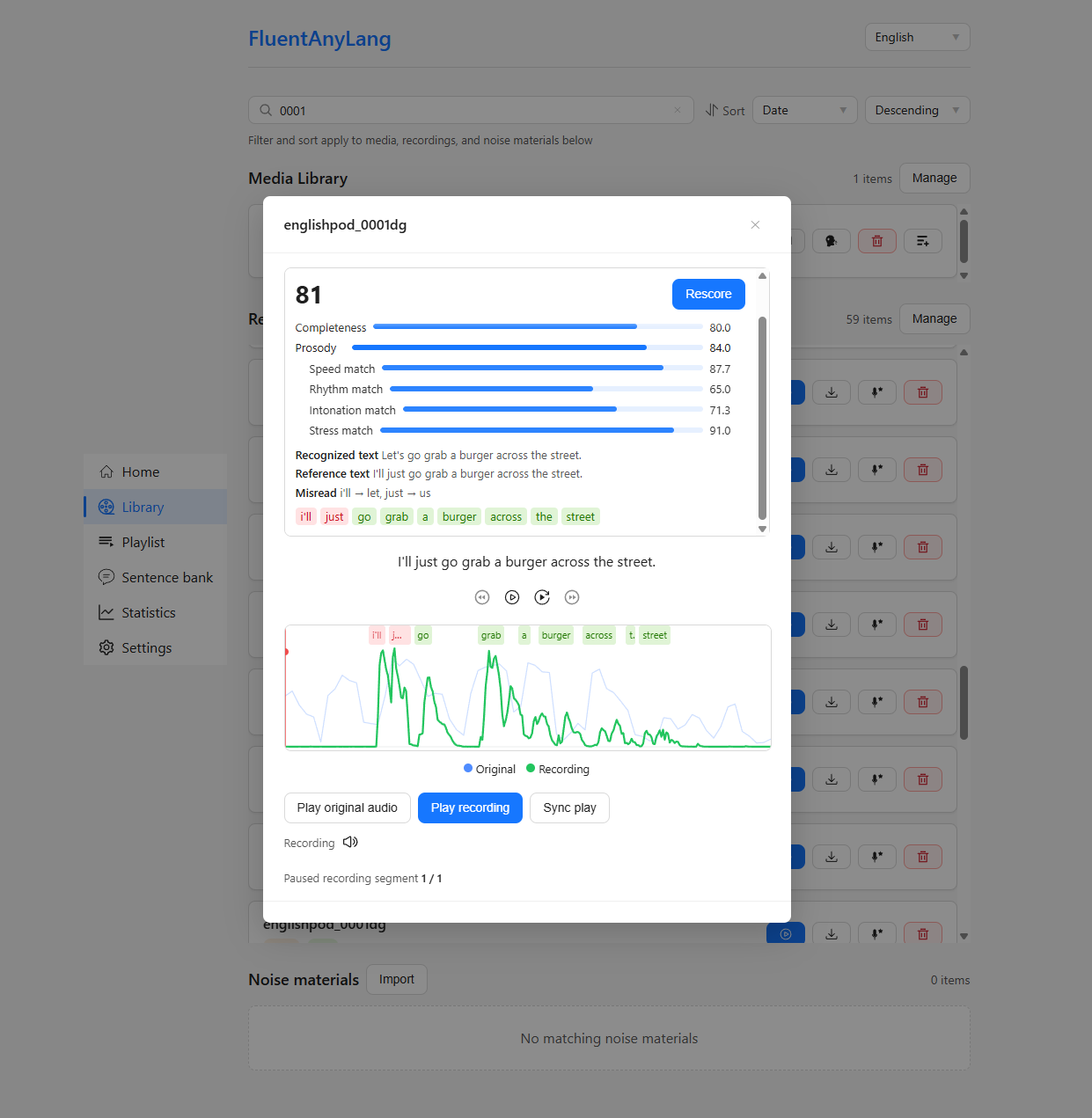
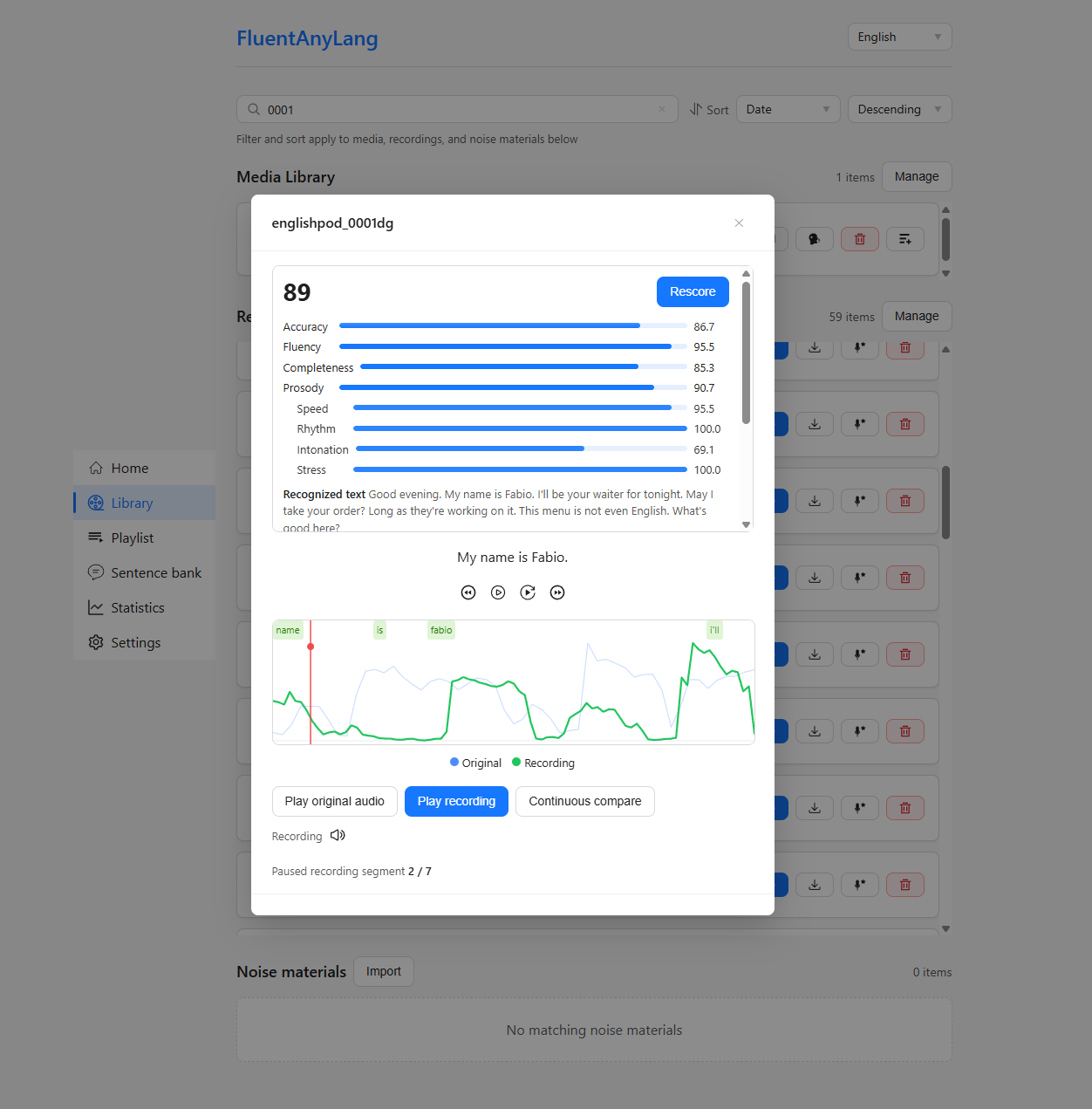
- Compare takes — Play source only, recording only, or compare (sentence-aligned sync when gaps were compressed; continuous compare when full gaps were preserved); click the waveform to seek and play.
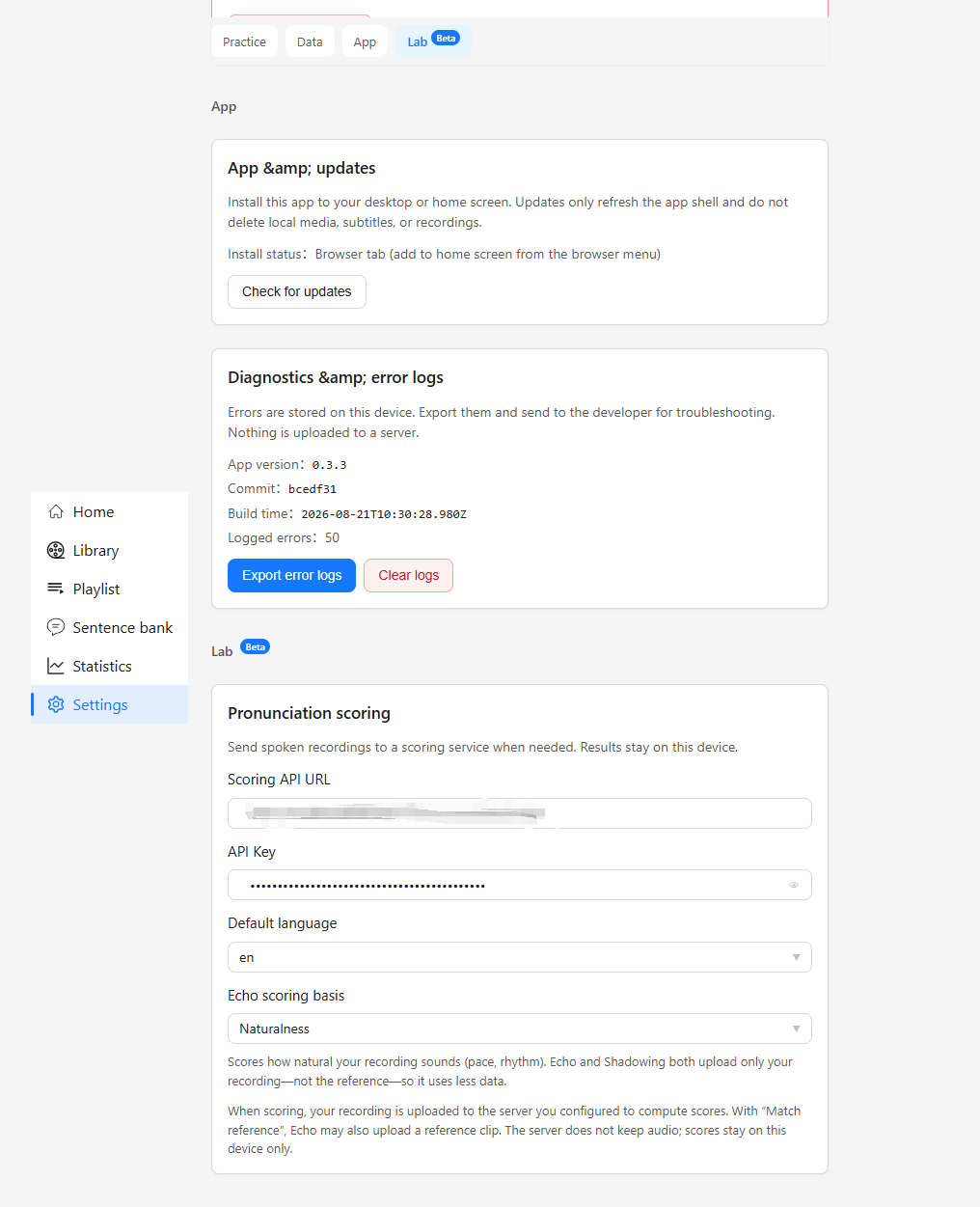
- Pronunciation score (optional, experimental) — On-demand scoring after a take. Requires an API URL and API key in Settings. The scoring service is not publicly available; contact the developer if you want to try it. Enabling scoring uploads your recording (and, for Echo "Match reference", may also send a reference clip) to the configured server; the server uses a self-hosted scoring model, does not keep audio, and scores stay on your device.
Library & progress
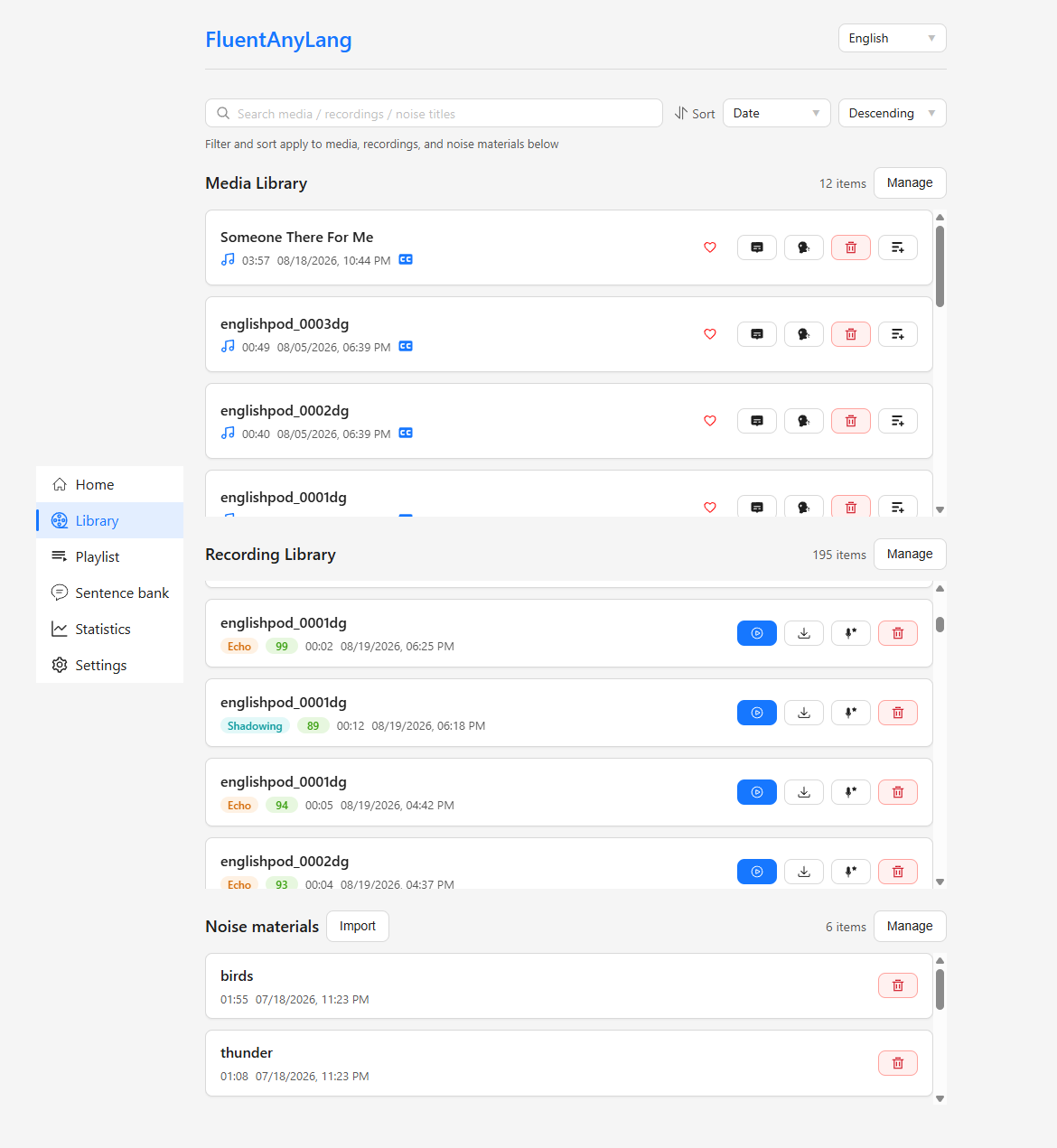
- Media, recordings & noise libraries — Search, sort, filter, custom covers, and export; tolerant
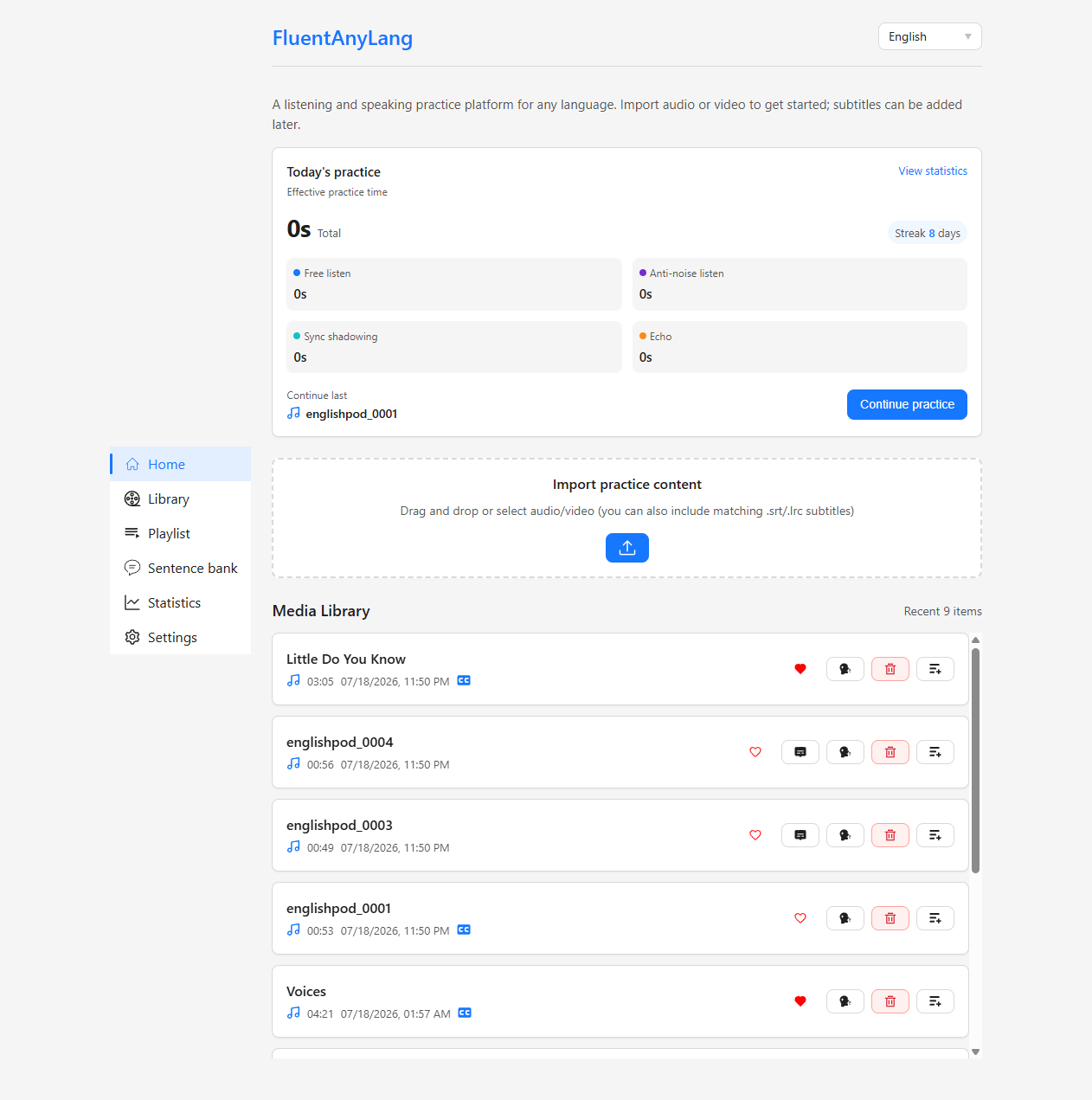
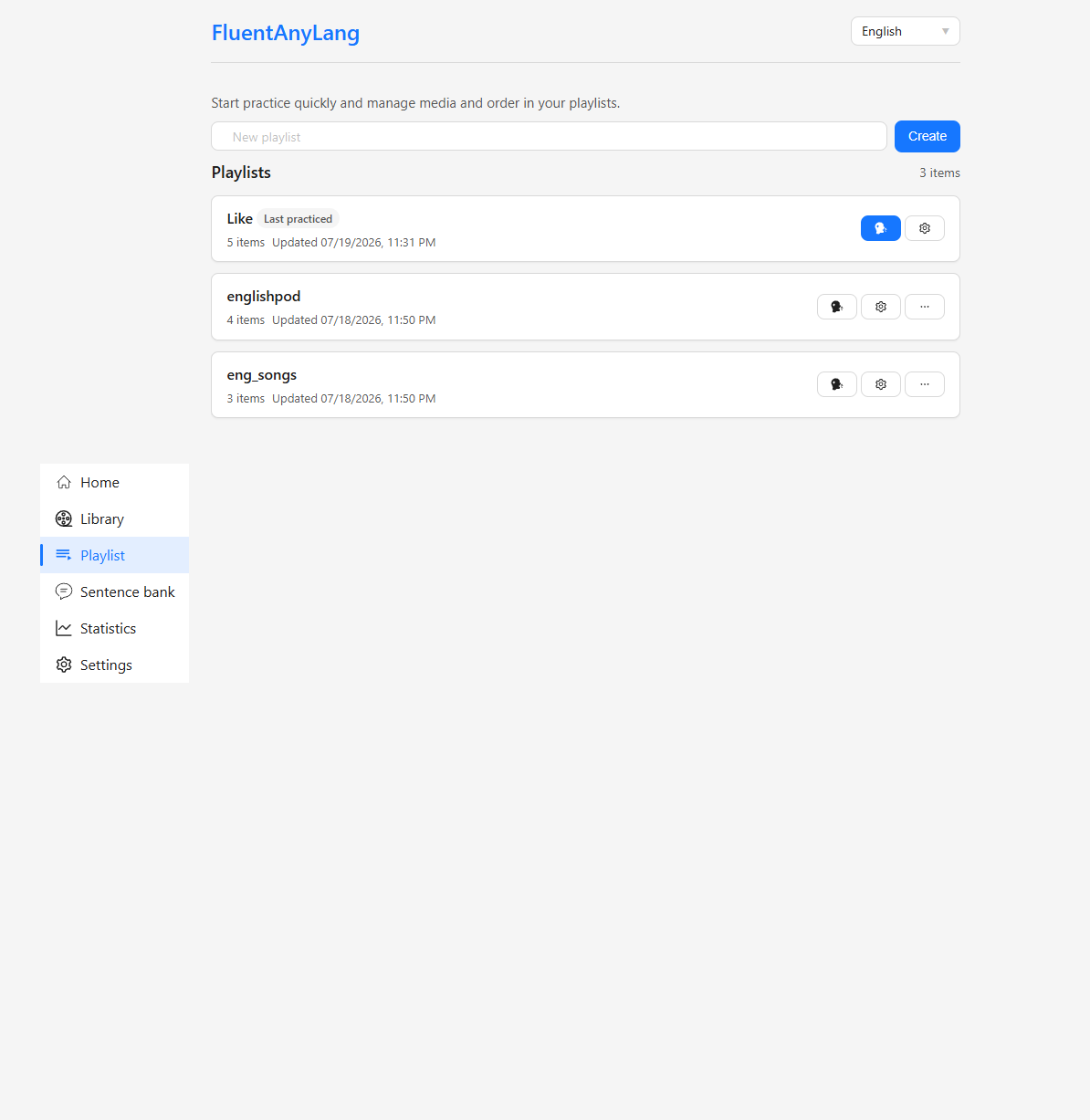
.srt/.lrcimport with warnings when lines need attention. - Playlists & favorites — Group materials, reorder, create a playlist while adding media, and continue the last playlist from the home dashboard.
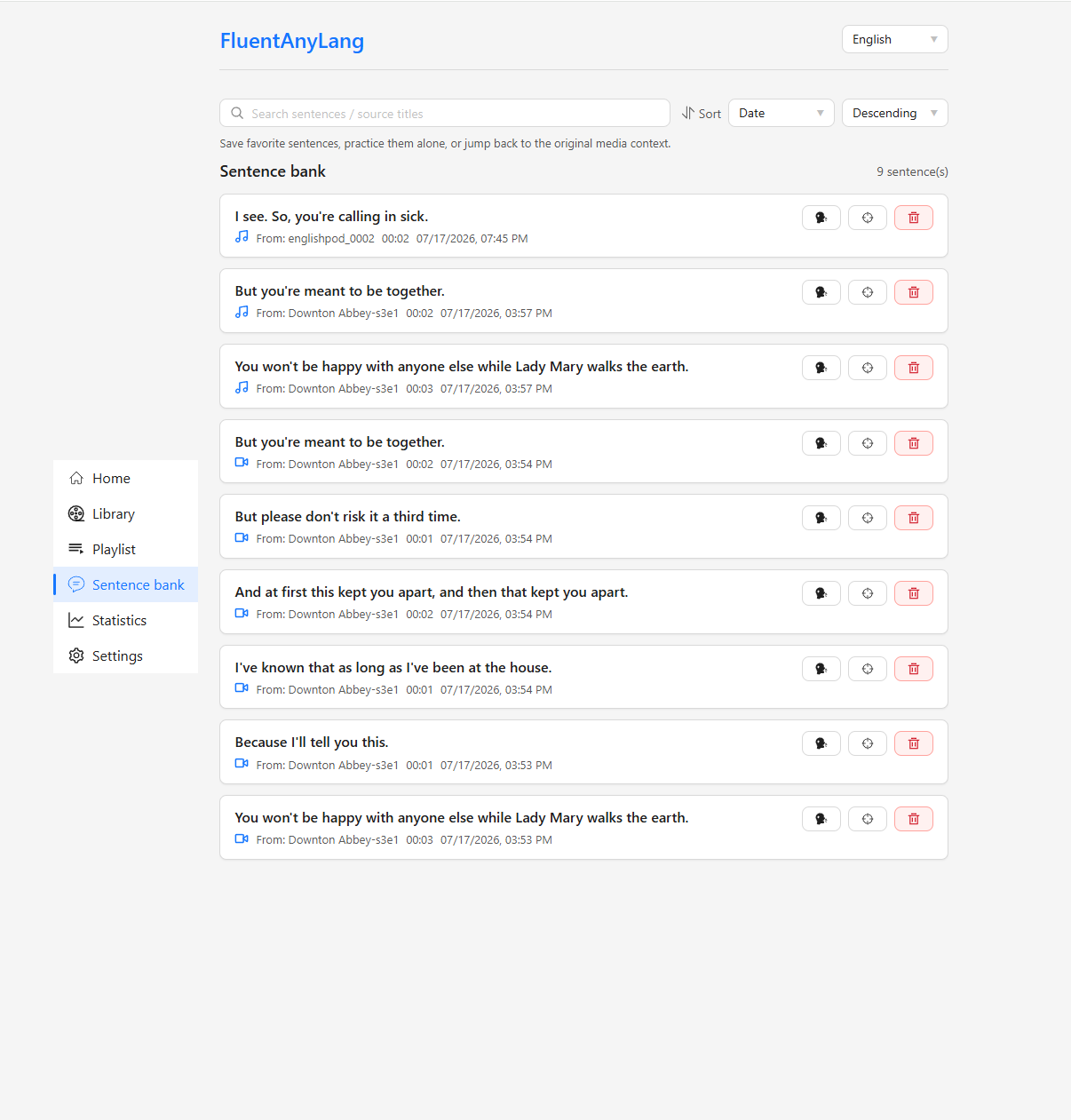
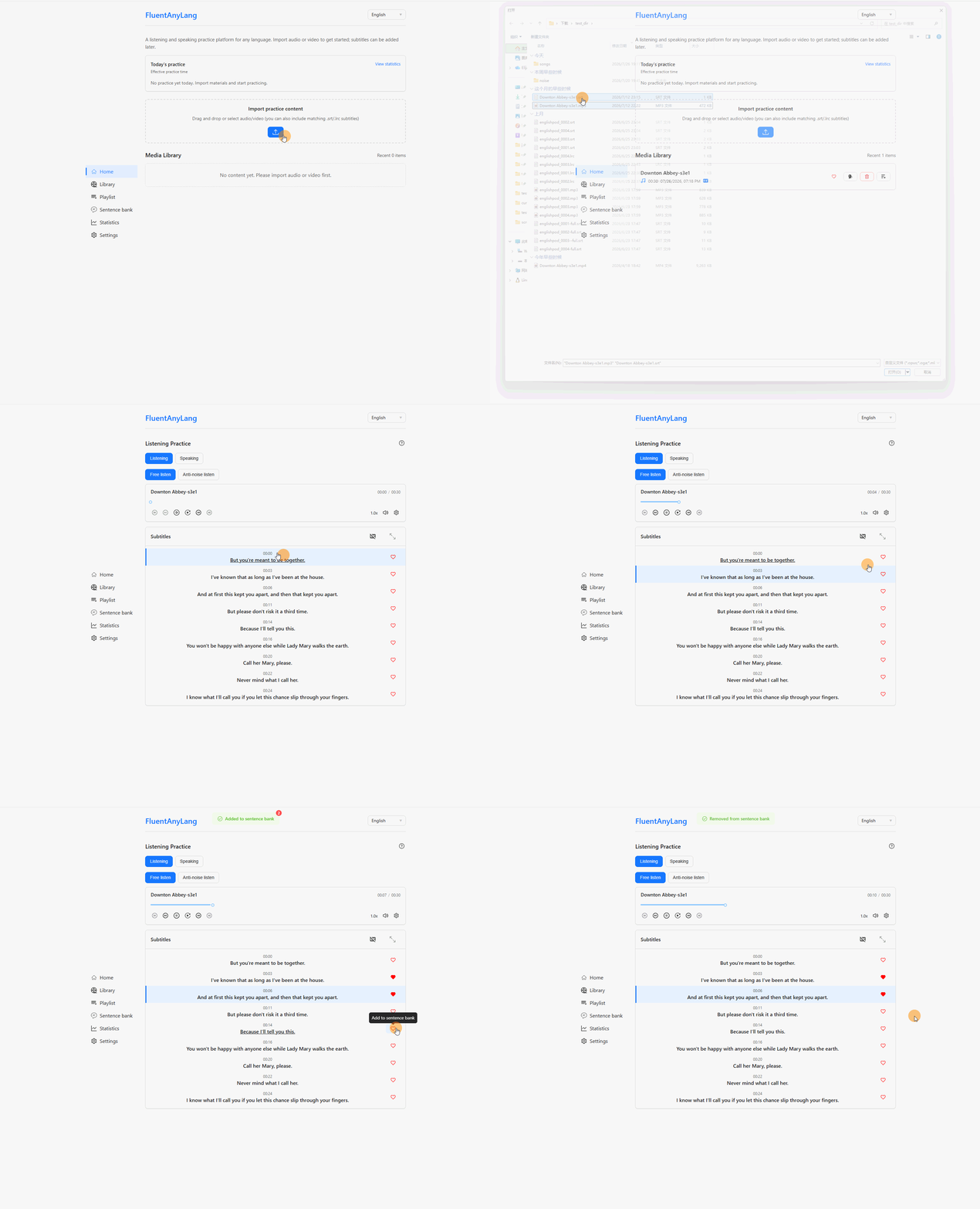
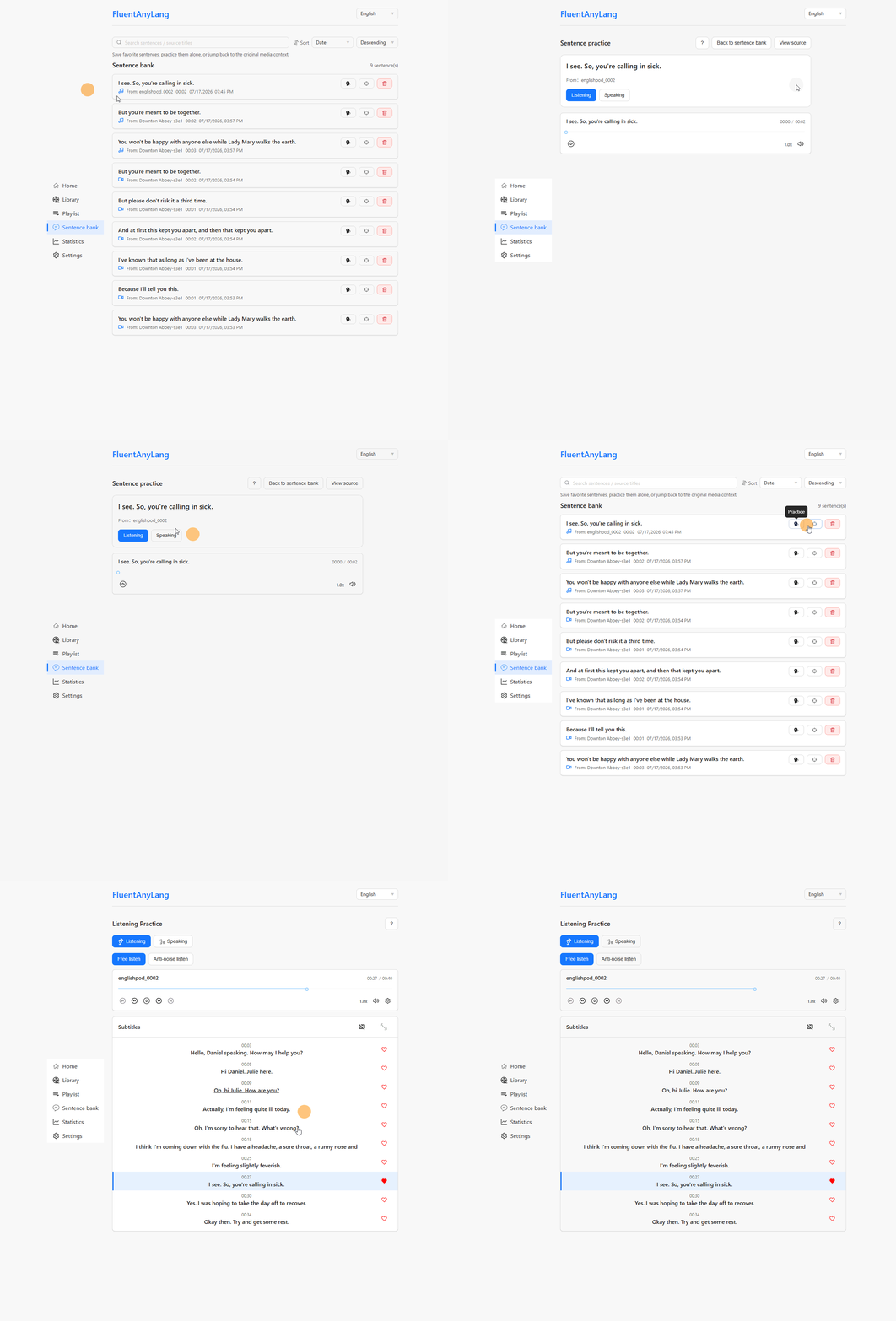
- Sentence bank — Save individual lines (with clipped audio) and drill them later.
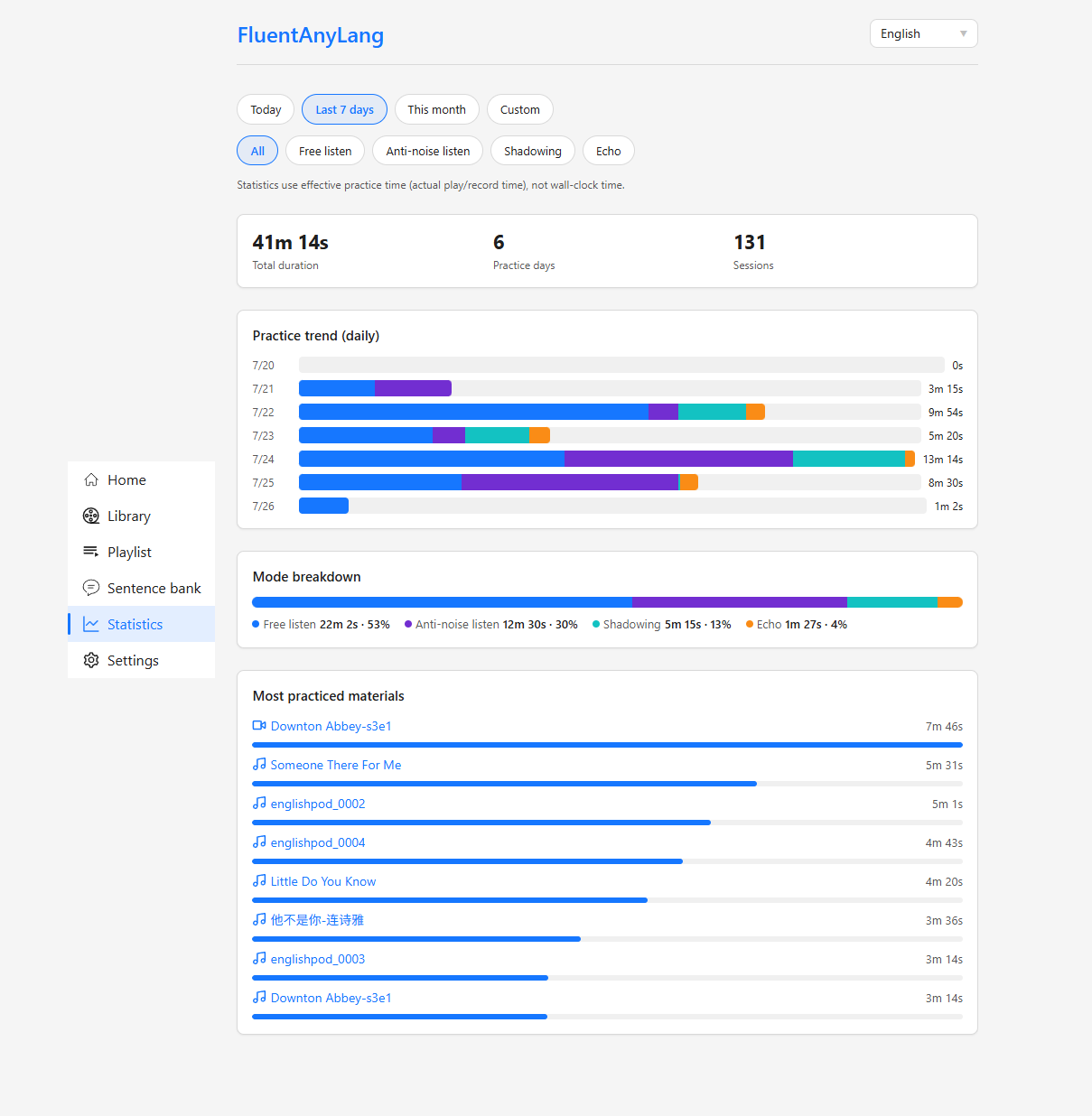
- Practice statistics — Effective practice time (not wall-clock), streaks, mode mix, trends, and media ranking.
More
- UI locales — Simplified Chinese, English, Japanese, and Traditional Chinese.
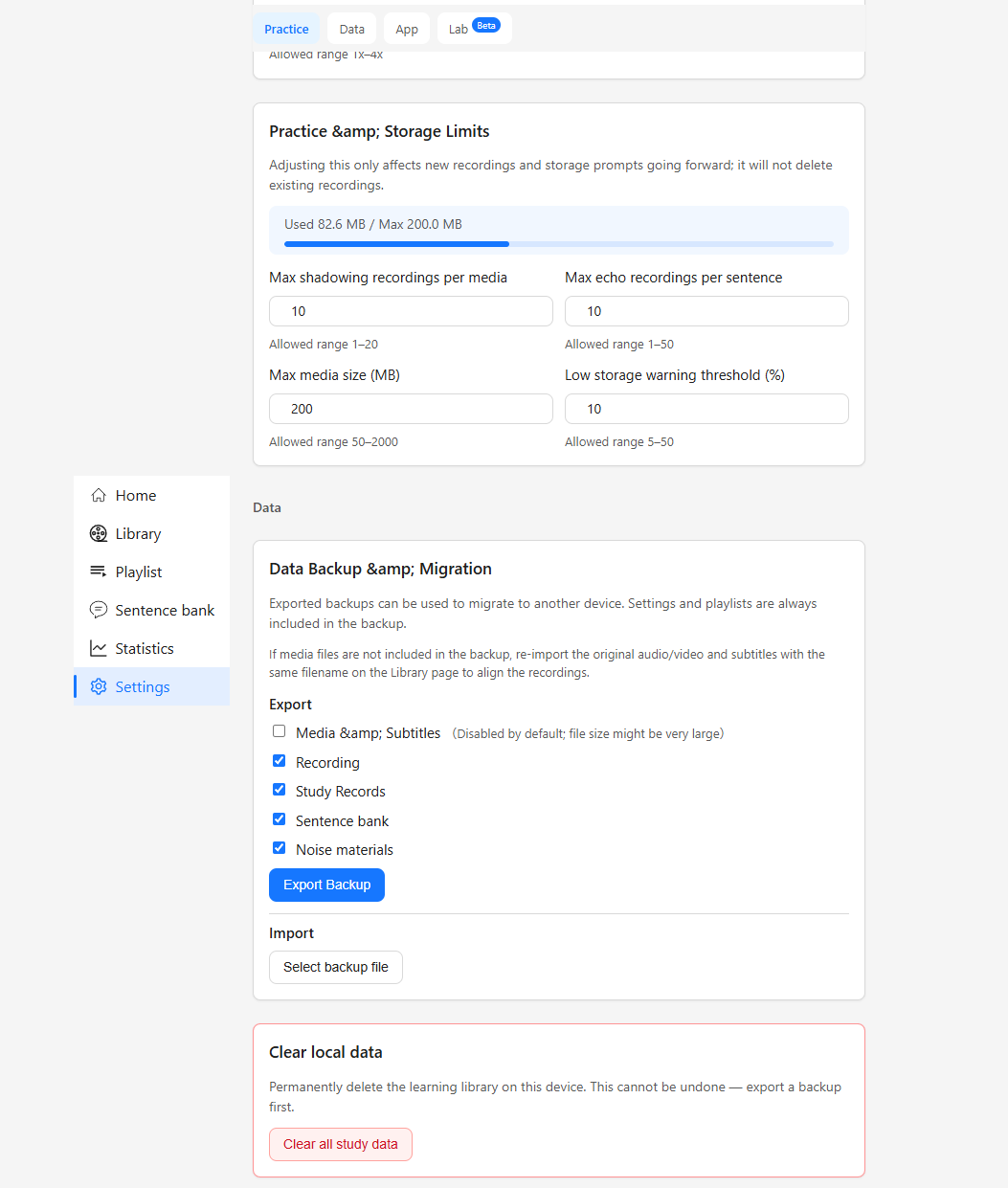
- Backup & migration — ZIP export/import for recordings, sessions, sentence bank, playlists, settings, and optionally media.
- Clear study data — Wipe local learning data from Settings while keeping app preferences.
Screenshots
How to use
- Open the live app.
- Import audio or video (and optional subtitles).
- Start Listening or Speaking practice from a media item.
- Review progress on the statistics page.
No install required for everyday use. Prefer headphones for speaking practice, and grant microphone permission when prompted. You can also install the app as a PWA from the browser menu (“Install” / “Add to Home Screen”).
Privacy
FluentAnyLang is a client-side app. Practice content and recordings are stored locally in IndexedDB. Clearing site data in the browser removes them — use the built-in ZIP backup if you need to migrate or keep a copy.
Exception: Optional pronunciation scoring uploads audio to the server you configure (only when you explicitly score). Audio is not retained on the server; results are stored locally. Without an API key from the developer, this path stays unused.
Tech stack
Lit · Vite · TypeScript · IndexedDB (idb) · @lit/localize · Progressive Web App (service worker)
Development
Prerequisites: Node.js 22+ and pnpm 11+.
1 | pnpm install |
Useful scripts:
| Command | Description |
|---|---|
pnpm build |
Localize, typecheck, and production build |
pnpm test |
Unit tests |
pnpm test:e2e |
Playwright end-to-end tests |
pnpm lint |
ESLint |
pnpm localize:extract / pnpm localize:build |
i18n extract / build |
pnpm release:notes |
Regenerate CHANGELOG + draft public/release-notes.json |
pnpm release:commit |
Validate multilingual notes, then commit + tag |
Releasing
Use a two-step flow so Agent/human translation can happen between bump and tag:
pnpm version <patch|minor|major> --no-git-tag-version— bumppackage.jsononly (no commit/tag).pnpm run release:notes— refreshCHANGELOG.mdand writepublic/release-notes.json(latest version only; locales come fromlit-localize.json).- Fill non-source locale highlights (Agent or manual) and proofread.
pnpm run release:commit— requires every locale non-empty and matchingpackage.jsonversion → commit +vX.Y.Ztag (does not push).
PWA update UI fetches /release-notes.json with cache: 'no-store' (and the file is excluded from Workbox precache) so an old page can still show the new version’s highlights.
When hosting the production build as static files, configure SPA fallback so deep links (/library, /practice, …) rewrite to index.html. HTTPS is required for the service worker (and for microphone access).